Delay Digger
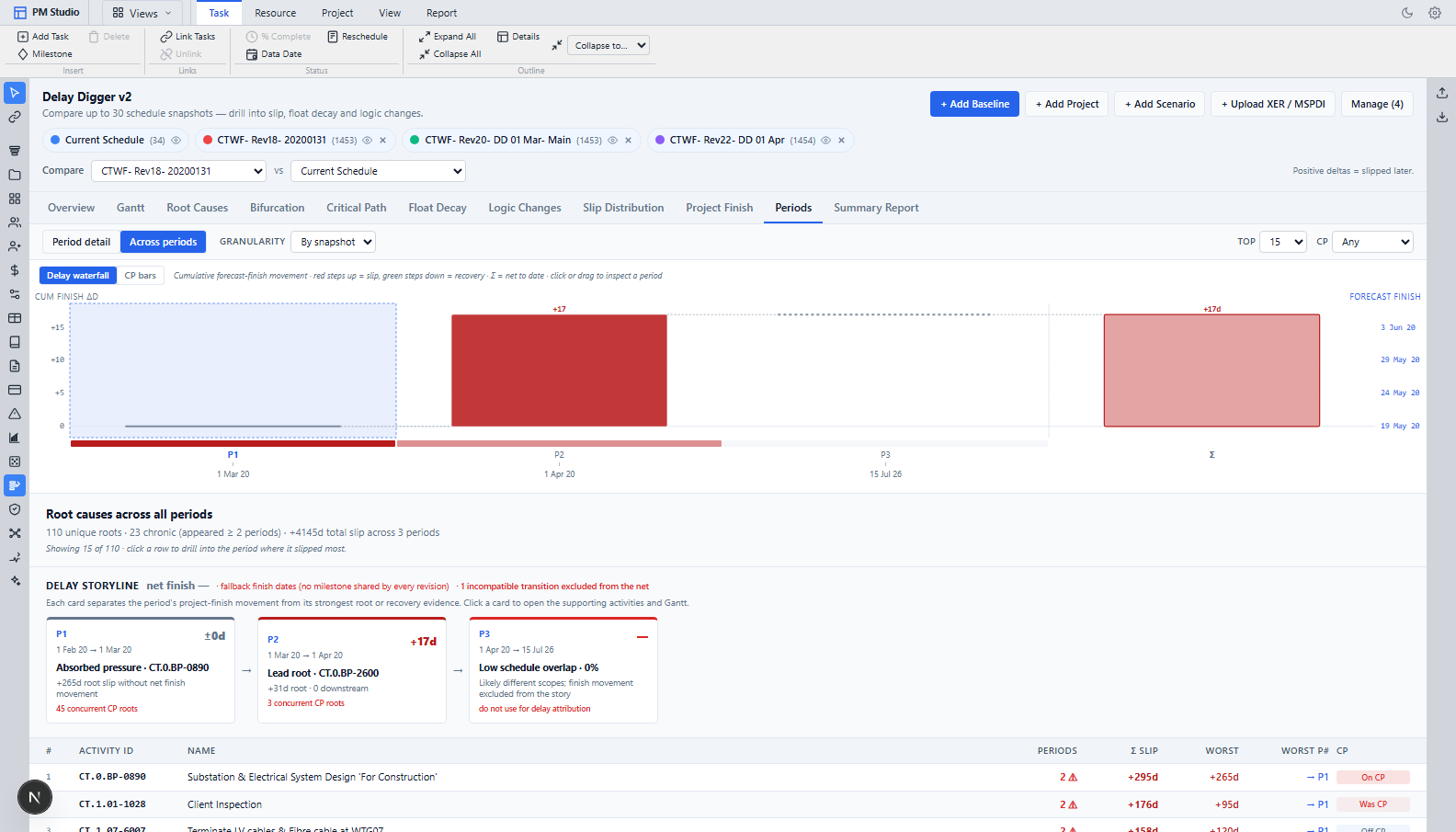
Forensic delay analysis on your own schedule revisions — window by window, separating what slipped because of progress from what slipped because someone edited the plan.
Who it is for. Delay analysts and claims consultants, who currently buy a separate specialist tool. Also contractors defending an extension-of-time claim, and owners’ teams testing a contractor’s delay narrative.
What it is for
When a project slips the argument is never about whether it slipped — it is about why, when, and whose fault. Doing that properly means comparing every monthly update, isolating each window, and testing whether a cause actually moved the finish date. Today that is a specialist product or weeks of manual work.
Apply AACE 29R-03 methodology — MIP 3.4 half-step bifurcation and MIP 3.7-style but-for verification — inside the application that holds the schedule. Read contractor XER updates directly, separate progress from revisions, and keep identified events in a standing delay register.
What it does
Every line below is in the product today.
AACE 29R-03 MIP 3.4 half-step bifurcation
Re-runs the window-start network with only the window-end progress applied, splitting the finish movement into progress impact and revision impact — without freezing the browser on a large schedule.
Scheduler-verified but-for testing
Reschedules the later snapshot as a baseline, then once per root cause with that root restored, reporting verified impact days rather than asserted ones.
Snapshots from five sources
The live project, a saved baseline, another project, a saved crash scenario, or an uploaded XER or MSPDI — parsed and analysed without being written to the database.
Cascades collapsed into fragnets
"Thirty activities each slipped thirty days" becomes one root cause plus the activities it carried with it.
Every activity classified
Seven critical-path roles — driver, became critical, recovered off the path and so on — and nine claim categories in a fixed priority order.
Windows at six granularities
By snapshot, selected pair, weekly, biweekly, monthly or quarterly — with per-window concurrency detection and a critical-path topology-shift flag.
It argues against overstating the claim
The summed activity slip is labelled cascade-inflated, and the tool tells you not to quote it.
It refuses a comparison it cannot defend
Two snapshots sharing under 20% of activity codes will not produce a first-versus-last claim.
A standing delay-events register
Every delay event you identify is saved to the project with its impact, separate from any single analysis run — reference it across multiple reports instead of re-identifying the same delay each time.
It reads and writes with
Activities
The critical-path Gantt where the schedule is actually built — a virtualised table and timeline that computes your dates from logic, calendars and constraints instead of letting you type them.
CP Crash
Find the cheapest way to pull the finish date in, see what each day actually costs, and know the exact date the critical path moves to a different chain.
DCMA Checks
Run the DCMA 14-point assessment against your live schedule, a stored project, or a client’s XER — before they run it on you.
See it on your own schedule.
Send an XER before the call and we will import it and show you Delay Digger running against your data.